The Apple iPad harbors an enormous amount of creative power. There are recording studio apps and synthesizer apps, beat making and loop triggering apps. But how on earth do you plug-in a guitar, or a decent microphone? That is where the audio interface comes in.
iPads can be extraordinary slabs of music production technology. You can install DAWs, virtual instruments, loops and effects and mix whole tracks of music. However, as a recording device it’s hampered by the lack of decent, studio-quality, inputs and outputs. That’s where the audio interface comes in.
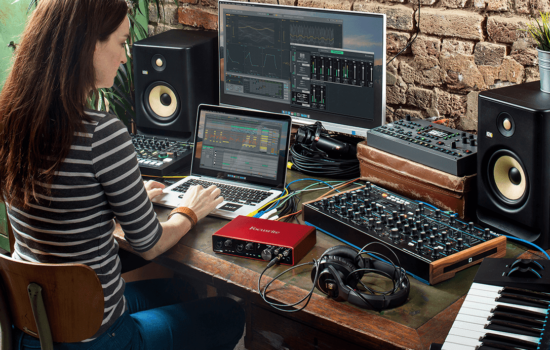
An audio interface is a box that contains the proper connections for microphones, instruments and speakers or headphones. They often have gain controls, LED metering and a bit fat volume knob. You can plug in your guitar, your microphone and your synths and record yourself at very high quality directly into your iPad. It’s the box that turns your iPad into a real live studio.
So which is the best one? Well, first you have to work out which interfaces will be compatible. Most interfaces are designed for desktop computers that often require the installation of drivers and bits of software to run. For iPad, it has to be able to plug in and work; this is called being “Class Compliant”, and not all interfaces support this. You may also need an adapter for the USB cable. The latest iPads use USB-C as the connection interface and for you’ll just need a USB-C cable that don’t always come with the interface. If you have an older iPad with the Lightning connector, then you’ll need the “USB Camera Kit” adapter to plug the USB cable in.
The last thing is bear in mind is power. iPads run on very little power and so don’t usually have enough spare to fire up an audio interface. An audio interface needs to run amplifiers, LED meters and phantom power for microphones and so they will usually need their own power supply. Some interfaces will pass power through to the iPad to keep them charged during your session, but some will not.
It might not sound very straightforward, but with our recommendations, you’ll have your iPad studio up and running in no time.
Here come the best audio interfaces for iPad:
- IK Multimedia iRig Quattro I/O
- Audient Evo 4
- Apogee Duet
- Zoom AMS-22
- MOTU M2
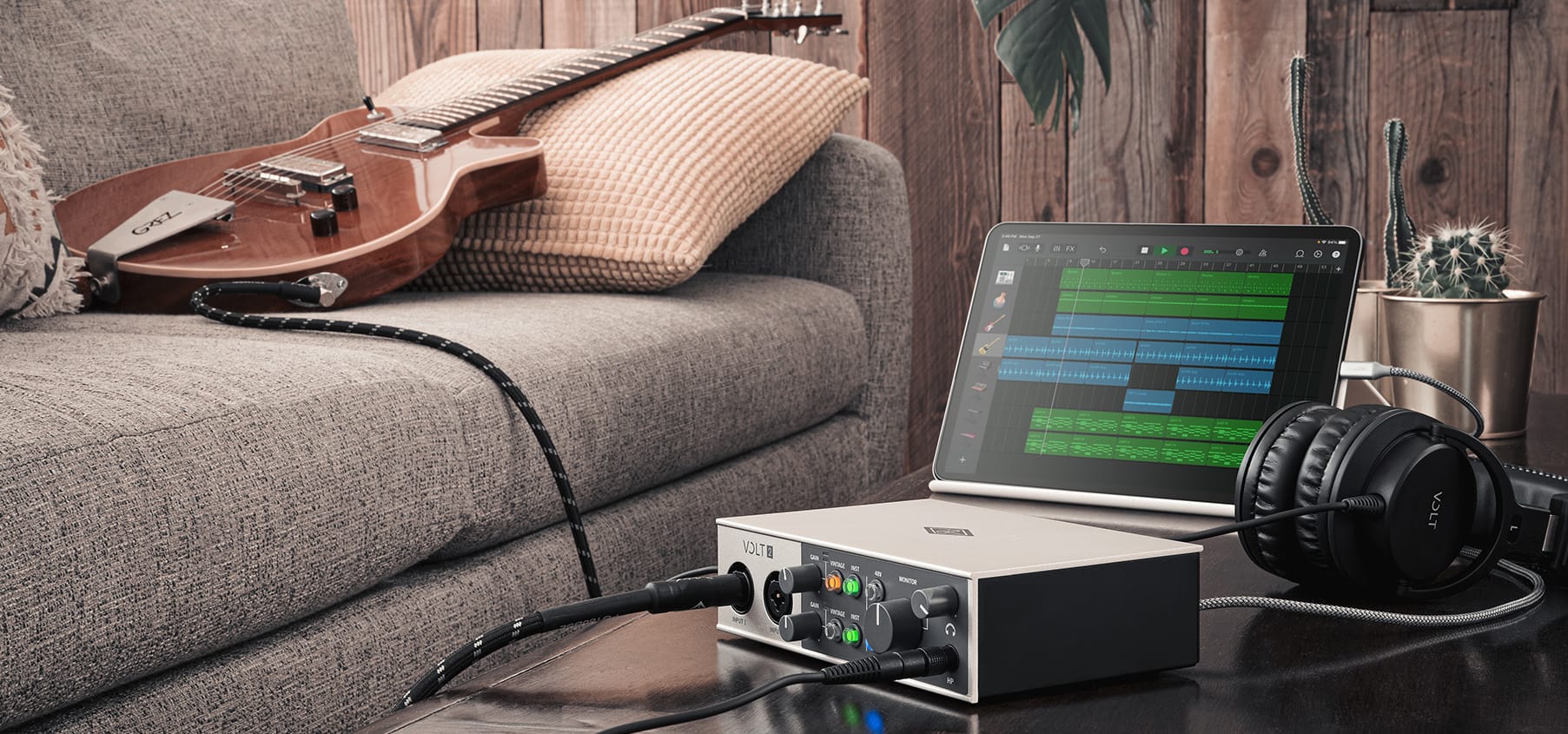
- Universal Audio Volt 2
- iConnect Audio4
For a quick list of where to buy these interfaces please check out my companion page here.
Let’s kick off with something that’s going to do the job and then some. IK Multimedia make a range of “iRig” iPad-friendly audio interfaces that are particularly good because they come with the right cables to connect via either USB-C or Lightning. The bigger ones are battery powered and the smaller can be powered from your iPad making them the easiest interfaces to use in a mobile situation.
The iRig Pro Quattro is the largest of the interfaces and it can do everything. It’s a 4-input and 2-output professional grade recording interface and mixer. It’s got great LED monitoring so you always know what the levels are doing. You can plug in microphones, guitars, instruments, record players or anything you want to record. And then the output uses professional XLR connectors to go to your speakers or you can use the separate headphone.
It has a built-in microphone so you can just plug it in and start recording and it will sound so much better than the mic integrated into your iPad. If you want to go further you can add a pair of high-end condenser mics and properly record a room. It even has MIDI in and out and comes with a great bundle of software
If you plug it into power, rather than using batteries, then it will charge your iPad as well which is excellent.
So the iRig Quattro is an all-singing, all-dancing solution that can handle anything. It’s only flaw is that it doesn’t look very stylish compare to some of the other options.
Street Price: $349
IKMultimedia.com
There is a range of Evo interfaces from Audient, starting with the Evo 4 and going up to the Evo 8 and Evo 16. I bet you can guess what the main differences are. The Evo 4 is the most straightforward with its 2 in and 2 out configuration.
It looks a bit different from most audio interfaces. It has one big knob that does everything and a green button that makes it devilishly easy to use. The knob controls the volume or the gain, depending on what you’re doing. The green knob is the best thing about this interface. It’s like your own sound-check audio engineer. Hit the Smart Gain button and then play and sing into whatever you’ve connected up, and the Evo 4 will automatically set itself up to the right recording levels – genius.
The Evo has 2 microphone preamps with class-leading converters. It has a single instrument or guitar JFET input with soft saturation. It has headphones and speaker outputs and is all powered via USB. If you have a newer iPad with a USB-C port, then the iPad can power the Evo 4 without any other connections. Otherwise, a USB hub and Camera kit will be required.
The Evo 4 is a great box, brilliant for newcomers and good enough quality for everyone.
Street Price: $129
Audient.com
Apogee makes very nice audio interfaces that definitely fit with the Apple lifestyle vibe. The interfaces are very professional and are of premium quality and will probably cost more than your iPad; but it might be worth it.
It is rather gorgeous with that stunning low profile and purple haloed knob. All the connections are housed in a breakout cable keeping things very neat and tidy. It has 2 mic/line inputs and 2 instrument/guitar inputs using the best-in-class Apogee preamps and converters. It has 2 USB-C ports so it can be powered easily while being connected to your iPad. They have thought of everything.
Inside is a powerful DSP processor for low latency recording and effects. For this is comes with an iPad app that manages the interface and runs the plugins and channel strip.
Duet really is an awesome interface and an object of beauty.
Street Price: $649
apogeedigital.com
At the other end of the scale are these adorable little interfaces from Zoom. This is about core functionality rather than style but these little boxes will get you recording into your iPad with the minimum of fuss for the minimum of dollars.
There are three interfaces in the AMS range; the cute AMS-22 and the larger AMS-24 and AMS-44. The AMS-22 is perfect if you only ever record yourself and one thing at a time. It has a single input that can be used for a mic or guitar. It’s brilliantly small, plugs in, powers up and just works. Nothing could be simpler. However, I feel that there will be times that you wished you had a second input so you could record the mic and guitar together or just in stereo.
So the AMS-24 is probably the perfect interface. It has 2 inputs for your mic plus guitar or two mics, and it has two pairs of headphones outputs which are ideal if you are jamming with a friend. There’s really not much more to it. Set some levels, plug in and go.
The AMS-24 and AMS-44 have an additional superpower which is live streaming. In Streaming mode, they will combine all the inputs to stream directly into your streaming software at the flick of a switch. They also take batteries, making them super portable.
Street Price: $79, $119 & $169
Zoom.com
The MOTU M2, M4 and M6 audio interfaces are chunky, robust and great for running live recording. I’ve used one for live streaming from a gig in a pub via my iPhone, and it worked perfectly. They have nothing specially designed for iOS, but they are Class Compliant and simply plug in and work, provided you can give them power via a USB hub.
The M2 is probably the sweetest choice. It has two solid XLR inputs on the front for microphones or guitars with good gain knobs and a fantastic display. You can always see what’s going into and out of these boxes with the very bright and colorful metering.
The sound quality is excellent with the same preamps as those found in MOTUs much larger interfaces. The back is simple, with outputs on both jacks and RCA phono connectors, plus the benefit of proper MIDI ports.
The MOTU M4 offers a couple more inputs on the front, whereas the M6 takes the connections around the back for a very neat and solid recording interface.
Street Price: $199
Motu.com
The Volt series from Universal Audio was a complete surprise. They usually do high-end premium interfaces whereas these are affordably good value and yet don’t skimp on the high-end features.
Volt 1, 2 and 4 and the cool entry level ones that I’ll focus on here. But for a larger budget the Volt 176, 276, 476 and 476p versions offer a better looking desktop box and a classic 76 Compressor emulation built into the interface.
Volt 2 is my sweet spot. It’s a classically shaped box of an audio interface with 2 mic and instrument inputs on the front and some good looking knobs and buttons. The controls are good and simple with monitoring level, headphones and gain. One interesting button is labelled “Vintage” and switches in an emulation of a legendary sounding vintage mic preamp. It’s a pretty unique feature.
It can be powered over USB-C from an iPad and will simply plug in and work. It does come with a load of software but that’s all for desktop computers. It also has MIDI in and out which is very welcome.
These are good boxes and that preamp emulation may make them more interesting that the rest of the bunch.
Street Price: $169
UniversalAudio.com
This is something slightly different. iConnect audio interfaces are unique because they can be connected to an iPad at the same time, with the same interface, as a Mac or PC. This enables you to send audio and MIDI data between the iPad and your computer.
The whole thing integrates in a rather amazing way. The audio output from your iPad apps arrives as tracks in your desktop DAW. MIDI from your DAW can run synthesizer apps on the iPad. All this without additional cabling or messing about.
The Audio4+ has a bit more in terms of inputs and outputs. You have 4 microphone inputs on the front, two of which can be instrument inputs, two of which can be line. On the back, you have 4 outputs for more flexible routing and a headphone output. MIDI in/out rounds off the connectivity and we have a nice big silver knob on the front with some decent metering. So all in all, this is a much more serious device.
Although it has to run on its own power supply at all times it does have the added benefit of charging the iPad. You do get some software for your Mac or PC, but nothing for the iPad but its unique inter-computer mixing of MIDI and audio make it a very interesting device. It requires a bit more thought in setup and configuration; it’s not a plug-in and go interface but could be enormously powerful in the studio. There’s also a smaller Audio2+ option.
Street Price: $299
iconnectivity.com